User Testing
User Testing
Medium-fidelity Prototype
D&NA is developing a mobile-based application that help users cultivate healthier waking habits, reducing their reliance on snoozing alarms — an essential step towards enhancing productivity and overall well-being. The two functionalities we currently have implemented are:
-
Global alarm: This feature lets you set alarms across different time zones and locations, making it easier to maintain a consistent wake-up routine no matter where you are.
-
Alarm sounds: Choose from a variety of tones, from soothing melodies to energetic tunes, to personalize your waking experience and start your day on the right note.
This can be found at VibrationManager class in here.
Our code can be found at this link. Specifically, most of the functionality is to be accessible for users to choose their own settings in order to fit best with their productivity and goals.
Presently, we’ve adopted a ‘wizard-of-oz’ approach for certain functionalities, such as the loading screen, as the implementation depends on having smaller functionalities in place. Once these foundational elements are operational, we plan to code primary features like the haptic vibration. Our strategy is to progressively integrate functionalities, ensuring each component works seamlessly before moving on to the next stage of development. Lastly, we’ve been working on prototyping the API for TriviaQuestion and Message Functionality, which are yet to be fully integrated into the app.
Photos of Prototype
Attached are screenshots of the prototype:

Screen 1: Global Alarm is the first functionality. Users can set one or more alarms by clicking on the plus button at the bottom.
Screen 2: Profile screen displays the user’s name, phone number, streaks, and an unfinished friends leaderboard.
Screen 3: Chatroom is the social accountability feature. There are private messages between friends, with the timestamp and the friend’s name.
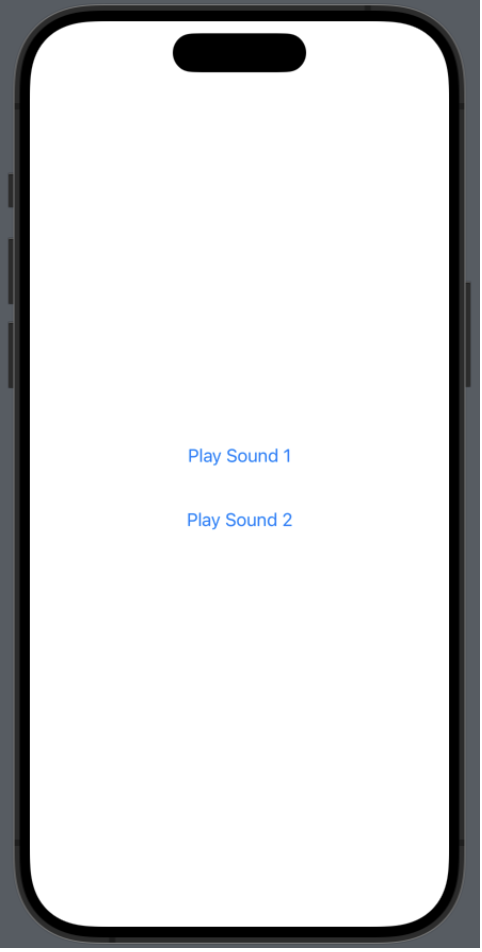
Screen 4: Alarm sounds is the second functionality. The alarm will play either sound 1 or sound 2.
User Testing Findings
Findings from User Testing Sessions
After four rounds of user testing, we’ve learned a lot about what users prefer and what they find challenging in the current prototype. Throughout our testing, there were common themes around the alarms, chat, and profile tabs.
In the first user testing round, the user started with browsing through the navigation tabs on the bottom. They were notably confused about the chat tab as it doesn’t give a lot of information on what it is, but we explained that the our chat screen isn’t implemented yet. They really liked the details on the alarm tab because they can add multiple alarms. Some suggestions they have are being able to delete an alarm instead of directly toggling it off, and implementing multiple alarm sounds and vibrations. These suggestions can be easily implemented by Nathan and David, as they modify the alarm screen and explore various alarm sounds.
During our second user testing round, one feature that the user likes is having the alarm tab as the app’s homescreen. The user also suggested adding the option to delete alarms. A confusion they had was the time and words displayed on the chat messages. When develooping the chat screen, we will take into consideration the UI of the messages. Furthermore, there were edge cases that our team hadn’t considered yet. When setting alarms, the alarm page doesn’t scroll to accommodate the abundant number of alarms. The scroll attribute needs to be implemented for the profile tab as well. Another edge case we’ll have to consider is preventing users from setting multiple alarms for the same time.
Our third user immediately started adding an alarm. The navigation flow was smooth from editing the alarm time, to viewing the profile and chat tabs, and finally listening to the alarm ring. The key takeaways from this user is to have the alarms editable by swiping right, similar to the default iOS alarm.
In the last user testing round, we learned about the user’s personal experience with alarms. Usually, the user has several alarms set on their phone, and would toggle on a selected number of alarms. This is probably an action that many students do, so our team will think about how to incorporate universal experiences for all types of users.
Given the insightful feedback, we’re leaning towards keeping the current two functionalities but making some adjustments for improvement including finalizing the alarm sound.
New Implementations
Based on our prototype and user testing feedback, we’re prioritizing the following next steps:
-
Refine Messaging Functionality: Building upon the work done by Aaleah and Amy, we aim to further enhance messaging features to facilitate communication within the app.
-
Iterate on the Home Screen: As the home screen is a crucial component of the user experience, we’ll iterate on its design and functionality based on user feedback to ensure smooth transitions and optimal performance.
-
Implement Additional Feedback Mechanisms: Building on Nathan’s work with haptic vibration, we’ll explore additional feedback mechanisms such as sound effects or visual cues to enhance user interaction and provide clearer feedback throughout the app.