Digital Prototype
Assignment G7
Our Problem Space
With everyone in our group being college-aged students going into new grad life, we’ve experienced the troubles and consequences of education and technology intertwining more and more. The utilization of platforms such as Discord, Slack, Google Calendar, Notion, and more have helped students like us to organize their tasks, keep track of deadlines, and more. But at the same time, this usage has kept our attention locked on screens, hour after hour, causing screen fatigue and burnout. We also know that students are not just students. They are also friends, leaders, members of organizations, family members, and more. With all these positions individuals hold in their lives, we know that there are an overwhelming number of tasks to accomplish in such little time. This begs the question, Can we use technology to keep us productive and our worktimes efficient, but also reduce amounts of screentime, which can contribute to screen fatigue and burnout?
Our Solution: StudyCafeBot
A potential answer to this question: StudyCafeBot. Our prototype is a Discord bot that is currently being hosted locally on our own machines; we’re hoping to have it hosted on a platform like Heroku over the weekend. Our bot can be added to a user’s Discord channel. Using our bot, the user can schedule timed study sessions with friends where they can motivate each other to stay on topic and reflect on their goals. The main functionalities of our tool include letting the users schedule a study session with others, starting the session, doing frequent check-ins, break reminders, and encouragement, and to end the session. This bot is implemented in Python using the Discord API.
Implementation of out Tool
At the beginning of our implementation of the bot, we broke up the main four functionalities of our bot and began to pair-program through the features. We first focused on implementing our core functionality such as starting a session, getting emoji reactions, and implementing check ins. Some issues we ran into were understanding how to parse through user input and deciding whether or not we could implement automatic scheduling and constant reminders using Python’s time module (for the sake of time we decided not to). For now, users will have to start the session manually. We also did not have the time to implement some of our reach goals such as muting other servers and integrating different study techniques such as the pomodoro technique into the bot. However, we were able to implement most of our core functionality that can be seen in the screenshots below!
How to Access Our Prototype
You can access our GitHub Respository and locally clone the repo and try it out! We are hoping to figure out how to host our bot over a server to make it more accessible.
Documentation of Prorotype
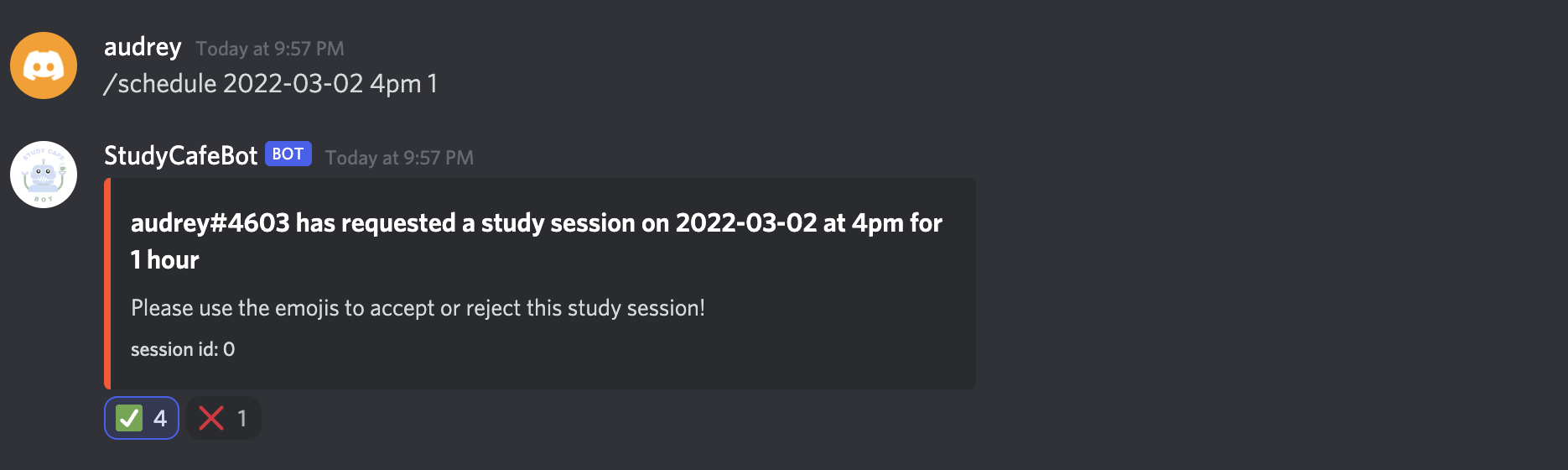
Image I. User schedules a study session and the Bot sends a poll for scheduling.
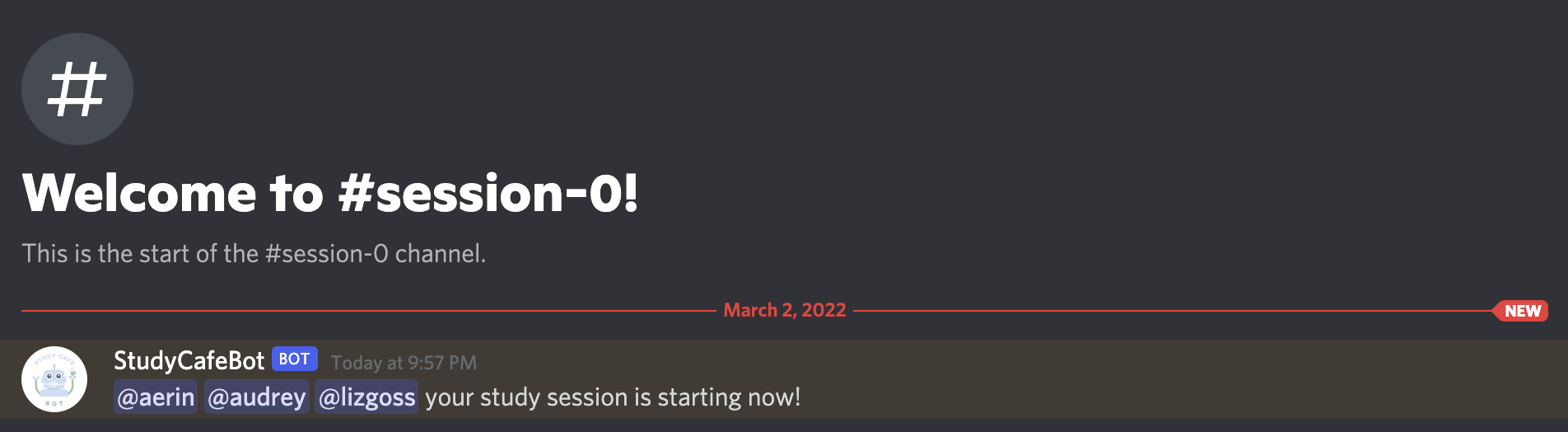
Image II. Bot starts a new study channel for running the study session when the /startsession command is called followed by the session id.
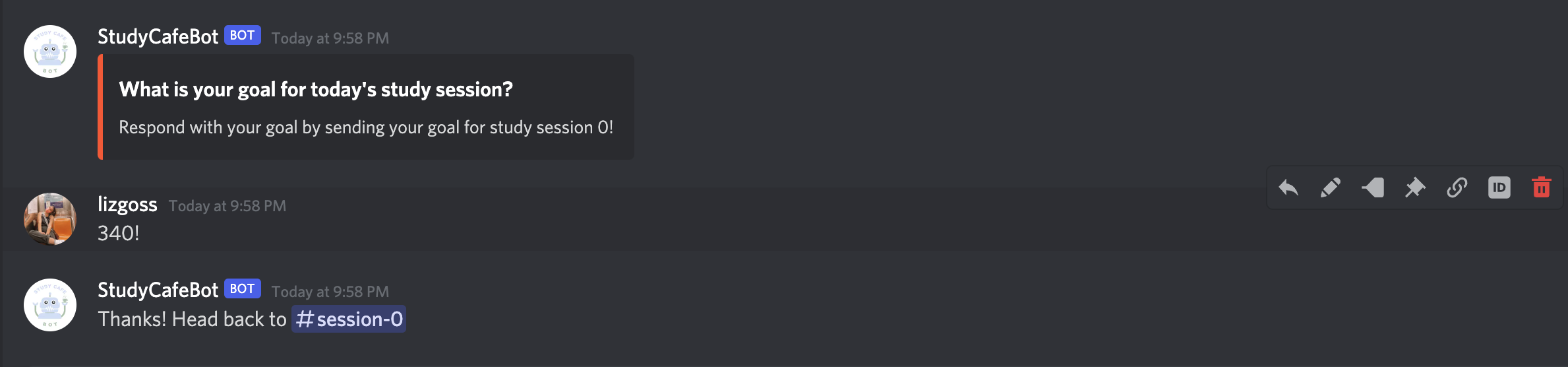
Image III. User sets a goal and is prompted to go back to the main study session channel.
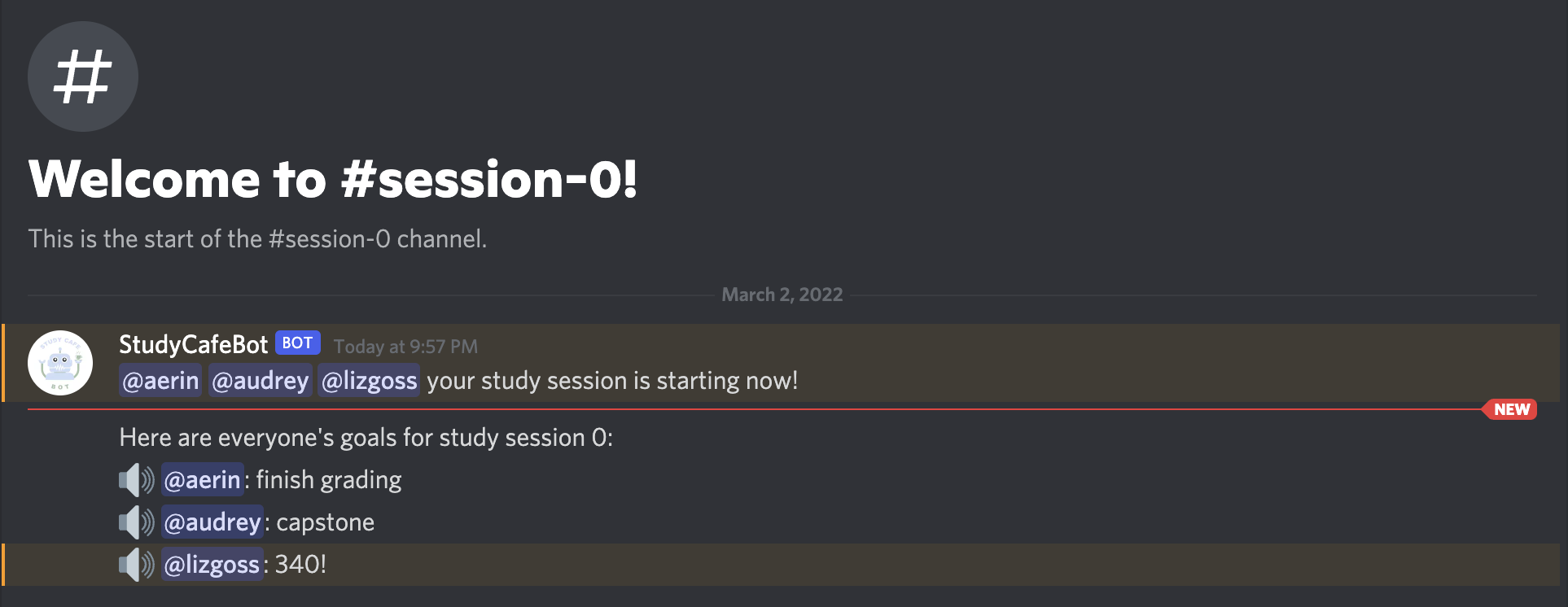
Image IV. The Bot announces the users goals to the study session channel.
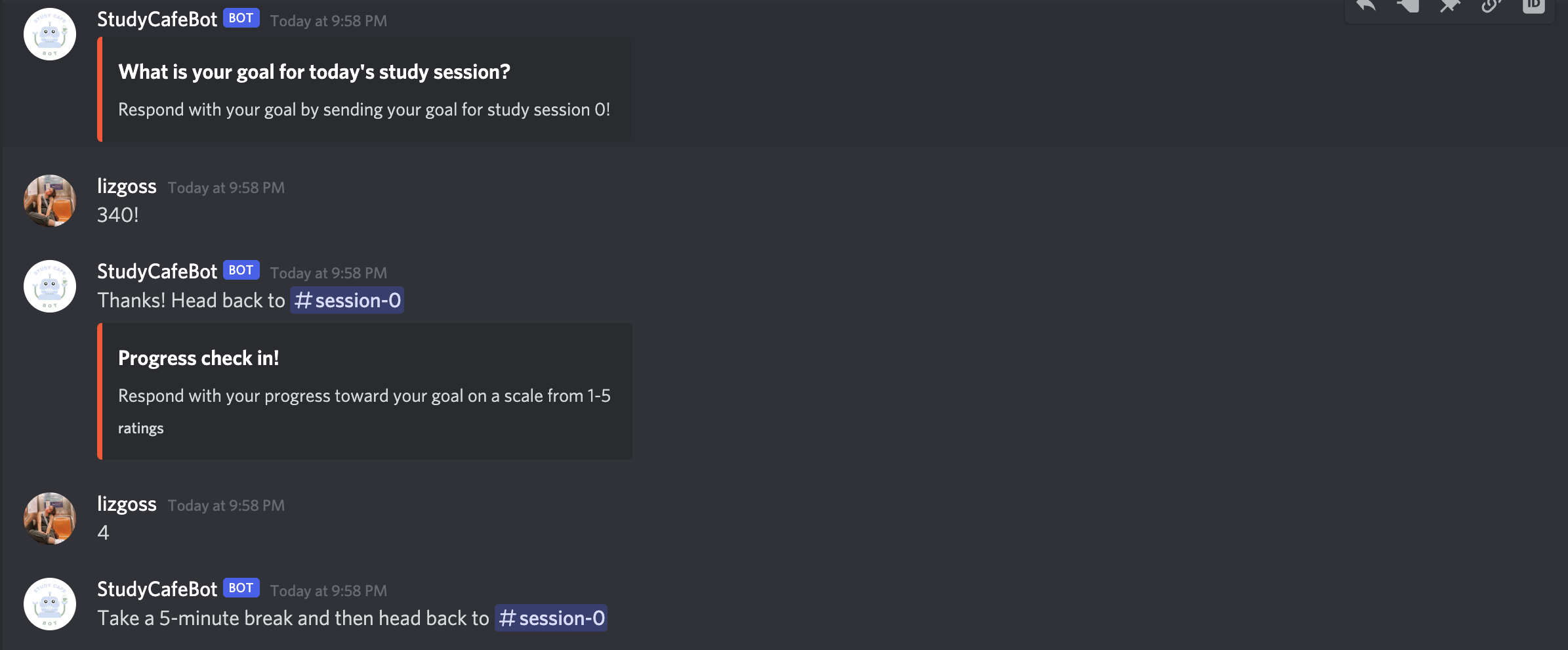
Image V. After 30 minutes the Bot checks in with the User on their progress and offers and prompts them to take a break.
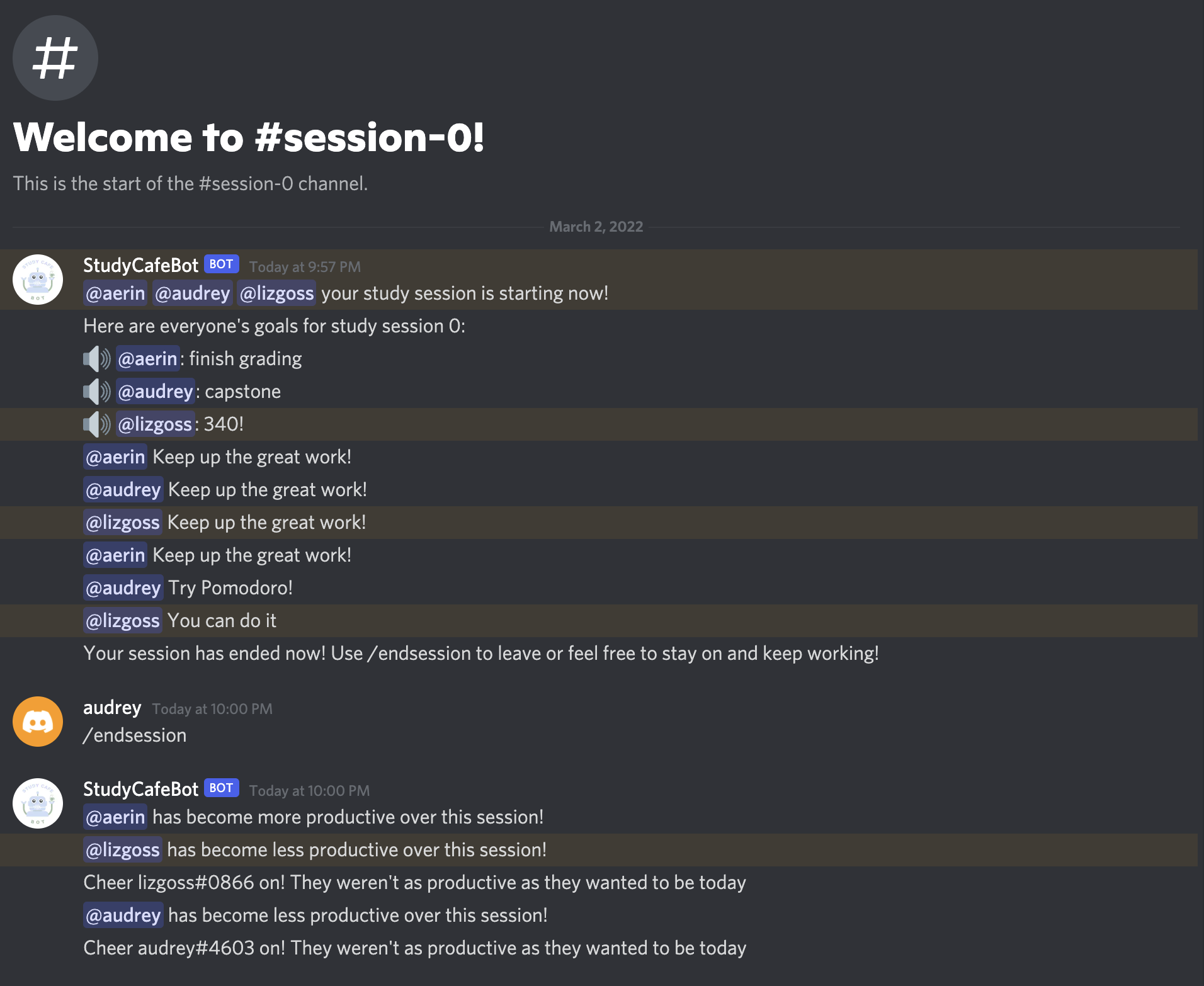
Image VI. The digest of the Bot running a full 1 hour study session.